

Ticketmaster Reserved Seating: How It Works and a Better Fit for Smaller Events
 Written byAshish ChandraLast updatedOctober 16, 2026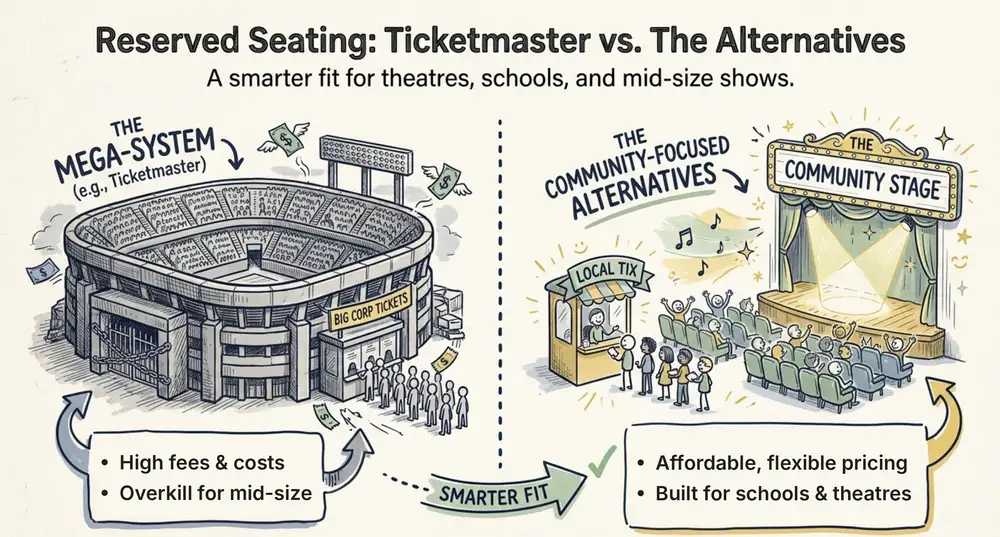
Key Takeaways:
- Ticketmaster reserved seating gives each ticket one exact seat that a fan picks on a map.
- Organizers reach these tools through Ticketmaster's sales team, and pricing is not public.
- Fans now see the full price, fees included, before they pay.
- Smaller events often want faster setup, their own branding, and their own data.
- Ticket Generator offers reserved seating with zero commission and payments to your own gateway.
Did you know that 48% of shoppers abandon checkout when extra costs are too high? Source: Baymard Institute, 2024
Seats and fees decide whether a fan buys or walks away, which is why Ticketmaster reserved seating matters to anyone who sells seated tickets.
So what is it? Ticketmaster reserved seating ties every ticket to one exact seat. Fans pick the seat on a map, or let the system choose the best one. It works well for arenas and big tours, but for a theatre, a school hall, or a mid-size show, it can feel heavy.
In this guide, we explain how it works and who can use it. We then look at what it costs and what to look for in an alternative. Finally, we show how Ticket Generator handles reserved seating and how to switch.
What is Ticketmaster reserved seating and how does it work?
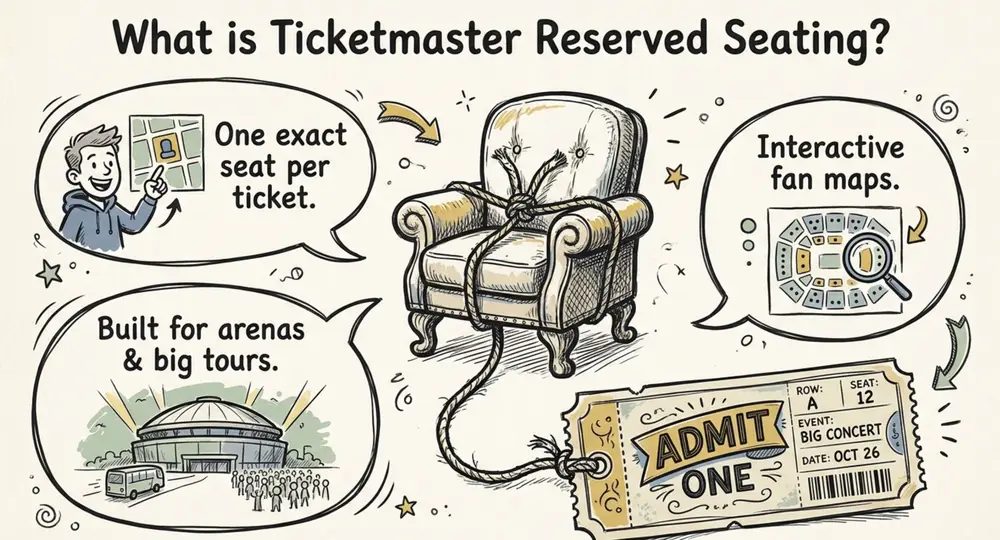
Ticketmaster reserved seating assigns each ticket to one exact seat, and once a fan buys that seat, no one else can.
The fan journey is simple, and it goes like this:
- The fan opens the event page and picks how many tickets they want.
- They choose seats on the interactive map, or take the best available seats.
- They see the price for each seat and pay.
- They get a digital ticket linked to that seat.
The organizer side is more complex. Ticketmaster's TM1 platform lets venues, teams, and promoters build custom floor plans with drag and drop tools. They can also reuse templates and move seats between price levels, according to Ticketmaster's event creation page.
That is a strong toolkit, so the next question is who gets to use it.
Who can use Ticketmaster reserved seating as an organizer?
Ticketmaster built these tools for venues, teams, and promoters. You start by contacting its sales team.
Its page names festivals, soccer clubs, colleges, and large attractions as typical users. There is a "Work With Us" button, but there is no public price list and no sign-up flow.
For a stadium tour, that path makes sense. For a 300-seat theatre or a school gala, it can mean sales calls before you sell a single ticket.
Access is only the first hurdle, and cost is the second, so let us look at what fans and organizers actually pay.
How much does Ticketmaster reserved seating cost?
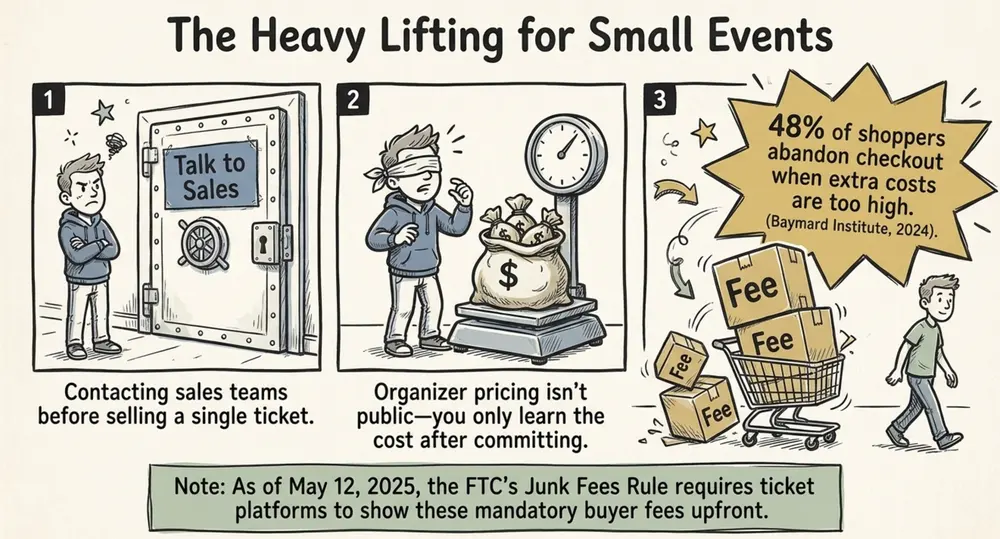
Ticketmaster does not publish organizer pricing, so you learn your cost only after you talk to sales. Fans pay the ticket price plus fees.
The Ticket Blog lists a service fee, a facility fee set by the venue, a delivery fee, and an order processing fee.
The good news is that buyers see more now. The FTC's rule on live event tickets took effect on May 12, 2025. Ticketmaster says it now shows the full price, with mandatory fees, up front.
Did you know that the FTC's Junk Fees Rule, in force since May 12, 2025, makes live event sellers show the full price, fees included, up front? Source: Ticketmaster Business
Clear prices help fans, but they do not tell you what the platform costs you. That is why many organizers compare options before they commit.
Planning a seated show and want clear costs before you talk to anyone? Try Ticket Generator to build your seating map and keep 100% of your ticket revenue.
If you are weighing options, a short checklist keeps you focused.
What should you look for in a Ticketmaster alternative for seated events?
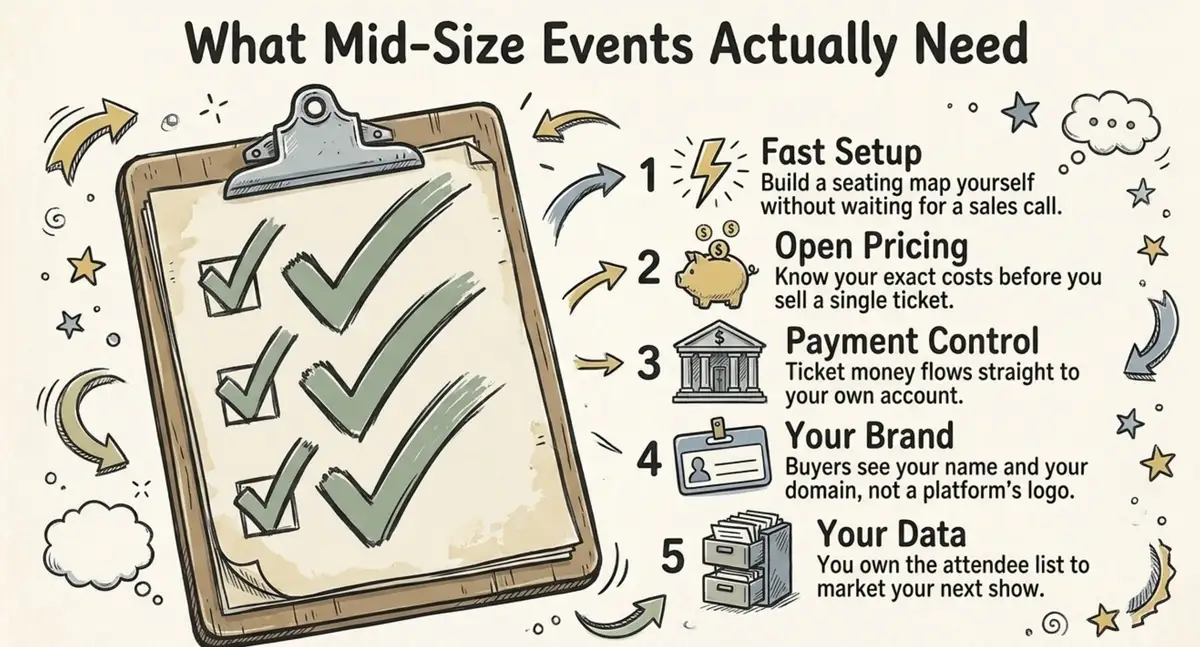
Look for fast setup, open pricing, your own branding, and your own data, because those are the gaps smaller organizers feel most.
- Fast setup. You should build a seating map without a sales call.
- Open pricing. You should know your cost before you sell a ticket.
- Payment control. Ticket money should go straight to your own account.
- Your brand. Buyers should see your name and your domain, not someone else's.
- Your data. You should own the attendee list and use it again.
- Safe entry. Every seat needs a unique code that flags duplicates at the door.
Here is how Ticketmaster and Ticket Generator compare on those points.
|
Feature |
Ticketmaster |
Ticket Generator |
|---|---|---|
|
Built for |
Arenas, stadiums, and big tours |
Events from 10 to 10,000 guests |
|
How you start |
Contact the sales team |
Sign up and build it yourself |
|
Pricing |
Quote based, not public |
Prepaid credits with a public price list |
|
Commission on sales |
Buyer fees on each order |
None |
|
Payments |
Handled through Ticketmaster |
Straight to your own Stripe, PayPal, or Razorpay account |
|
Branding |
Limited control |
Full control, custom domain, no platform logos |
|
Attendee data |
Held by Ticketmaster |
Owned by you |
Ticketmaster is a strong choice for large arenas that need its huge fan base and queue tools. This table is about fit, not quality.
Now let us see how Ticket Generator delivers on that list.
How does Ticket Generator handle reserved seating?
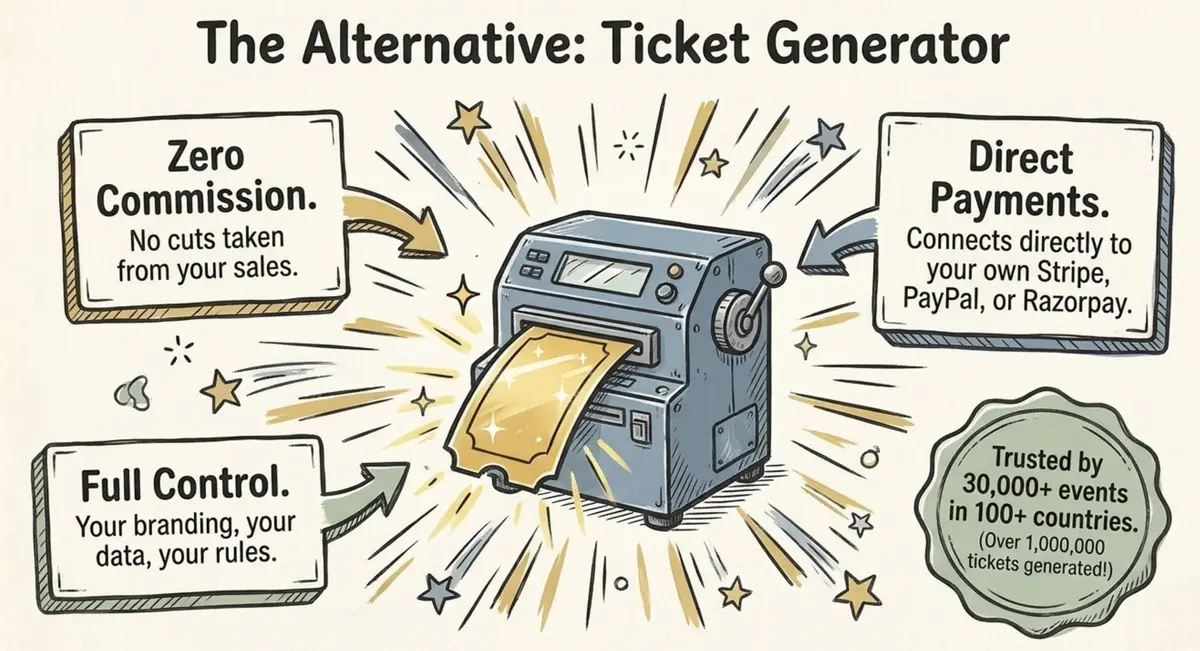
Ticket Generator is built for organizers who already have an audience and want control. You turn a floor plan into a live seating map. You set it up yourself and sell from your own page, with no commission on sales.
Here is the flow:
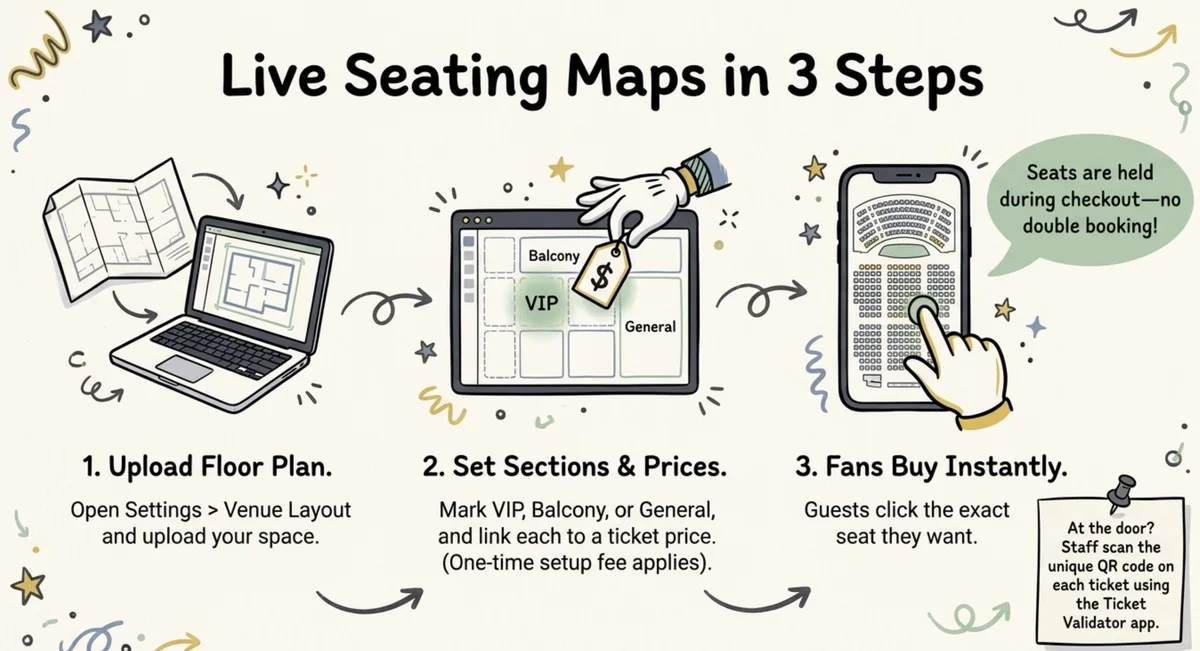
- Open Settings > Venue Layout and upload your floor plan.
- Mark your sections, such as VIP, Premium, General, Balcony, or Tables, and link each one to a ticket price.
- Ticket Generator turns the plan into a live seating map where every seat is clickable. A one-time setup fee applies.
- Guests zoom in, see open seats, and click the seat they want. The seat is held while they pay, so two people cannot book the same chair.
- Each ticket arrives with the seat number, section name, a unique ticket ID, and a QR code.
- At the door, staff scan the QR code. The app shows Valid, Duplicate, or Invalid.
Pricing is just as plain. Venue layout events use 2 credits per ticket, credits do not expire, and there is no commission. The table shows what one seat costs by pack size.
|
Credit pack |
Price |
Seated tickets |
Cost per seat |
|---|---|---|---|
|
10 credits |
$6 |
5 |
$1.20 |
|
100 credits |
$50 |
50 |
$1.00 |
|
1,000 credits |
$400 |
500 |
$0.80 |
|
10,000 credits |
$2,500 |
5,000 |
$0.50 |
Your payment gateway still charges its own processing fee. Stripe lists 2.9% + $0.30 per transaction. New accounts get 10 free credits, and nonprofits get 30% off.
Ticket Generator has now generated more than 1,000,000 tickets for 30,000+ events in 100+ countries. Event teams like the Heartland Emmys have used it four years in a row.
Pro Tip: Sell more than seats. Ticket Generator Add-ons let you offer parking or a pre-show drink as a scannable perk. Staff check it with the same Validator app.
One honest note on entry. The Ticket Validator app needs an internet connection, so test your venue signal before doors open. You can also read more about QR ticket validation, or compare other seat booking software.
Knowing the tool is one thing, but moving a real show is another, so here is a safe way to switch.
How do you move from Ticketmaster to a new reserved seating platform?
Start with your next event, not one that is already on sale, and then rebuild your seating map and tell your audience where to buy.
- Pick your next show or season, and leave events already on sale where they are.
- Check your Ticketmaster agreement for notice terms before you set dates.
- Gather your floor plan, section names, and price tiers.
- Build your seating map in Ticket Generator and buy one test seat yourself.
- Set up your event page on a custom domain so buyers see your brand.
- Email your list with Campaigns, the built-in email tool, and share the new sale link.
Pro Tip: Set up a short email series in Campaigns, one at launch and one a week before the show. Ticket Generator keeps your subscriber list, templates, and results in one place, so you need no extra email tool.
Once your first show runs smoothly, move the rest of your season over. For more options, see our guide to the best Ticketmaster alternative and our overview of event ticketing platforms.
Conclusion
Ticketmaster reserved seating is built for scale, and it gives fans a clear seat map and huge reach. But access runs through sales, and pricing is not public.
If you run theatre nights, school galas, or mid-size shows, you may want faster setup and more control. Ticket Generator gives you a live seating map, zero commission, and payments to your own gateway, and you keep your brand and your data.
Build your seating map and sell reserved seats on your own page. Try Ticket Generator and keep 100% of your ticket revenue. Your event. Your revenue. Your rules.
FAQs: Ticketmaster Reserved Seating
1. How does Ticketmaster reserved seating work?
Each ticket is tied to one exact seat. Fans pick seats on an interactive map or take the best available. Once a seat is bought, no one else can buy it.
2. Can small organizers use Ticketmaster reserved seating?
Ticketmaster aims its organizer tools at venues, teams, and promoters, and you start by contacting its sales team. Smaller organizers often choose a self-serve platform instead.
3. Does Ticketmaster show fees up front?
Yes. Since May 12, 2025, the FTC's rule requires live event sellers to show the full price, mandatory fees included. Taxes and optional add-ons can still appear at checkout.
4. What is a good alternative for reserved seating?
Ticket Generator is a good fit for events of 10 to 10,000 guests. It turns your floor plan into a live seating map, charges no commission, and sends payments to your own gateway.
5. How much does reserved seating cost on Ticket Generator?
Venue layout events use 2 credits per ticket. On the 1,000-credit pack at $400, that is $0.80 per seat. Your payment gateway charges its own processing fee on top.
About the author
Content Marketer at Ticket Generator
Ashish Chandra has spent 5+ years writing about event technology, covering topics such as ticket design, QR check-ins, attendee management, and event marketing strategy. As the Content Lead at Ticket Generator, Ashish has analyzed hundreds of real-world event workflows and ticketing setups, helping organizers across industries use QR-based tickets, event landing pages, and smarter ticketing systems to run smoother, better-attended events. His writing is shaped by real user needs and the questions organizers ask most often: How do I sell more tickets? How do I avoid chaos at the door? How do I make my next event better than my last? When he steps away from the screen, you'll likely find him hiking a quiet trail or tending his plants- his preferred way to reset.
Latest posts
Check out our latest articles on the blog
 9 min read
Ticketmaster Reserved Seating: How It Works and a Better Fit for Smaller Events
Ticketmaster reserved seating works well for arenas. If you run a theatre, gala, or mid-size show, see how it works, what it costs, and how to switch.
Ashish Chandra
16 Oct 2026
 9 min read
Eventbrite Reserved Seating: Setup, Limits, and a Better Option for Seated Events
Eventbrite reserved seating has strict rules and per-ticket fees. See how it works, where it falls short, and how to sell seats with no commission.
Ashish Chandra
05 Oct 2026
 12 min read
Event Email Marketing Examples: Real Emails to Learn From and Templates to Copy
A swipe file of real event emails from Webflow Conf, SXSW, Moz, Optimizely and more. See what each one does well, then copy the templates for invites, promotions, reminders and sign-up forms.
Ashish Chandra
05 Oct 2026